
AWS Server Migration – A Step-by-Step Guide to Moving On-Premises Workloads

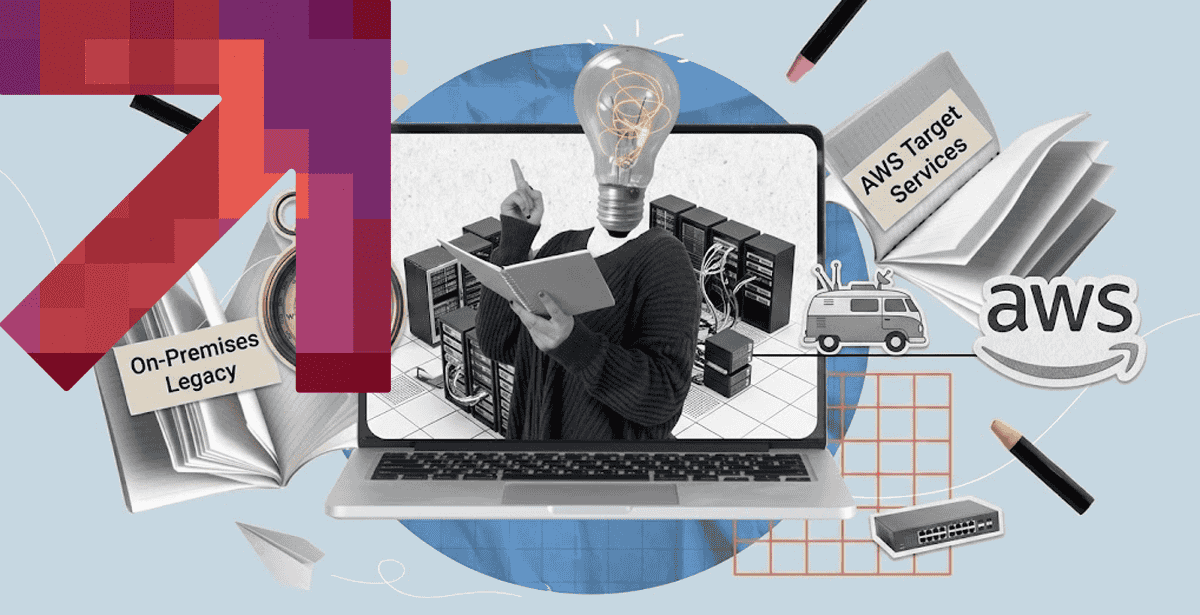
Moving workloads off aging on-premises hardware is not optional forever. Eventually the hardware fails, or the vendor stops supporting it.
Server migration services exist to make that move predictable. A rushed migration causes outages; a planned one barely gets noticed.
Yet done right, migration becomes a chance to fix technical debt along the way. Done wrong, it just relocates the same problems to a more expensive bill.
Cloud Migration Consulting: Getting the Assessment Right First
Cloud migration consulting exists because most teams underestimate what they actually run. An accurate inventory has to come before any migration plan.
Auditing What You Actually Run Today
Most companies discover forgotten servers during this step. A box running a critical job nobody remembers setting up shows up more often than expected.
Dependency mapping matters just as much as the server list itself. An application that quietly depends on three other systems needs all three to migrate together.
Skipping this audit is how migrations blow past their timeline. A missed dependency surfaces mid-cutover, when it is far more expensive to fix.
Building the Business Case for the Move
A migration needs a clear business case. “The hardware is old” rarely convinces anyone holding the budget.
Cost savings, performance gains, and risk reduction all belong in that case. Each one should carry a rough number, not just a general claim.
Getting budget approval early avoids a stalled migration halfway through. A project frozen mid-move is worse than one that never started.
A consulting engagement at this stage also surfaces risks nobody had considered yet. Compliance requirements and contractual obligations tend to surface here first.
None of this assessment work is wasted time, even though it produces no visible progress yet. It is what keeps the actual move from becoming a scramble.
Teams that rush past this stage usually pay for it during execution. A week spent assessing properly saves a month of firefighting later.
💡 Define success before moving a single workload. The first 30 days of a cloud migration consulting engagement should establish the baseline: application dependencies, infrastructure costs, security requirements, migration priorities, and measurable success criteria. A clear discovery and assessment phase reduces surprises later and gives both teams a shared roadmap for what to migrate, how to migrate it, and what outcomes the project should deliver.
The Step-by-Step Migration Playbook
Every successful AWS migration follows roughly the same sequence. Skipping a step to save time usually costs more time later.
That sequence holds true whether the migration covers five servers or five hundred. Only the scale and the coordination overhead really change.
According to Flexera’s 2026 State of the Cloud Report, organizations that plan migrations in structured phases report fewer cost overruns. That gap between planned and rushed projects keeps widening.
1) Discovery and Dependency Mapping
This step catalogs every server, application, and dependency in scope. It is the same audit work from cloud migration consulting, formalized into a migration plan.
Automated discovery tools speed this up considerably over manual spreadsheets. They also catch dependencies a manual audit tends to miss.
A discovery pass usually turns up a few surprises. An old batch job nobody documented properly is a common find at this stage.
2) Choosing a Migration Strategy: Rehost, Replatform, or Refactor
Not every workload needs the same treatment. Some move as-is, others benefit from changes made during the move itself.
Deciding which path fits which workload takes real judgment, not a fixed rule. Business criticality and technical complexity both factor into that call.
AWS’s own migration strategy framework breaks this decision into named strategies, from a simple rehost to a full refactor.
Picking the wrong strategy for a given workload wastes both time and budget. A simple internal tool rarely needs a full refactor to move successfully.
3) Cloud Data Migration Services: Moving the Data Itself
Cloud data migration services handle the part everyone worries about most: the data itself. Downtime here directly affects the business.
A phased data sync, running old and new in parallel briefly, avoids one risky cutover moment. Most enterprise migrations use this pattern now.
Data validation after the move matters as much as the transfer itself. A byte-for-byte match check catches corruption before anyone downstream notices.
4) Rebuilding Networking and Security Boundaries
On-premises network boundaries rarely map cleanly onto cloud networking concepts. VPCs, subnets, and security groups all need a fresh design, not a copy-paste.
Getting this step wrong is how a migration accidentally opens a door that used to be closed. Security review here is not optional.
💡 Automate policy enforcement across every cloud. Consistent multi-cloud security becomes difficult when teams manually configure AWS, Azure, and GCP environments separately. Use centralized identity, policy-as-code, standardized logging, and automated compliance checks to apply the same security requirements everywhere while accounting for each provider’s native controls.
5) Cutover and Validation
Cutover is the moment traffic actually shifts to the new environment. Doing it during a low-traffic window limits the blast radius of any surprise.
A rollback plan matters just as much as the cutover plan itself. Being able to revert quickly turns a bad surprise into a minor delay.
6) Decommissioning the Old Environment
Old hardware should stay available briefly after cutover, just in case. Decommissioning too early removes the safety net a rollback plan depends on.
Once the new environment proves stable, decommissioning frees up budget fast. Old hardware contracts and support fees add up quickly if left running.
Cloud Migration Solutions: Rehost, Replatform, or Refactor
Cloud migration solutions are not one-size-fits-all. The right solution depends on how much a workload benefits from changing during the move.
When Lift-and-Shift Is the Right Call
Lift-and-shift works well for stable, low-change workloads. An internal reporting tool rarely justifies the cost of a deeper refactor.
Speed is the main advantage here. A straightforward rehost can move in weeks, not months, which matters when hardware is already failing.
When Refactoring Pays for Itself
Refactoring pays off for workloads under real growth pressure. An application straining against its current architecture benefits from the redesign.
The tradeoff is time. Refactoring takes longer upfront, but it avoids migrating a workload that will need rework again within a year.
💡 Modernize around the workload, not the migration deadline. True cloud modernization goes beyond moving existing infrastructure to a new environment. Evaluate whether each workload should be rehosted, replatformed, refactored, or rebuilt based on its performance, scalability, cost, and business requirements. The goal is to use the cloud to improve the application—not simply relocate existing technical debt.
Managed Cloud Service Provider: Should You Run This Yourself?
A managed cloud service provider takes the operational load off an internal team. That decision usually comes down to available bandwidth, not budget alone.
Signs You Need Outside Help
The following are telltale signs that you need to hire the professionals right away:
- Your Team is Stretched Thin – Engineers are spending more time managing infrastructure than building products and improving core systems.
- Cloud Costs Keep Creeping Up – You lack clear visibility into spending, resource utilization, or opportunities for optimization.
- Downtime is Becoming Expensive – Outages, slow incident response, or recurring infrastructure issues are affecting customers and revenue.
- Security is Hard to Keep Up With – Patching, access controls, compliance, monitoring, and threat detection are becoming too much for an internal team to manage consistently.
- You Need 24/7 Coverage – Your business cannot afford to wait until the next working day to respond to a critical cloud incident.
- Your Cloud Environment is Getting Complicated – Multiple accounts, regions, services, Kubernetes clusters, or cloud providers are creating operational overhead your team struggles to manage.
What a Good Provider Actually Owns
A good provider owns more than the migration weekend itself. Ongoing monitoring, patching, and cost optimization should all be part of the engagement.
A provider that disappears after cutover has not solved the underlying operational gap. Ongoing support is the real value, not the move itself.
Pricing structure matters here too. A provider billing hourly for every incident has a very different incentive than one on a flat monthly retainer.
💡 Offload operations without giving up control. When replacing in-house operations with cloud managed IT services, clearly define ownership for monitoring, patching, security, incident response, and cost management. Choose a provider that offers continuous visibility and measurable SLAs, so your team can reduce operational workload without creating a black box around critical infrastructure.
Cloud Migration Tools That Speed Things Up
Cloud migration tools automate the tedious parts of a move. The right tooling turns weeks of manual work into days.
Choosing tools before the discovery phase, rather than after, saves real rework. Retrofitting tooling onto a plan already in motion rarely goes smoothly.
Assessment and Discovery Tools
Discovery tools scan an environment automatically and build a dependency map. That map becomes the foundation for the entire migration plan.
Manual discovery misses things automated tools catch reliably. A forgotten dependency found late in a migration costs far more than one found early.
Most discovery tools also estimate cloud costs upfront. That estimate feeds directly back into the business case built earlier in the process.
Automated Cutover and Sync Tools
Sync tools keep on-premises and cloud environments in step during the transition window. That overlap period is what makes a safe rollback possible.
DPL’s cloud migration services build this tooling around each workload’s specific downtime tolerance, rather than a single generic script.
That tolerance varies a lot by workload. A customer-facing checkout system can afford far less downtime than an internal reporting job.
Choosing tooling that respects those differences avoids treating every workload identically. Not every server needs the same cutover window.
Good tooling also produces an audit trail automatically. That record matters later if anyone asks what changed and when during the move.
Getting Your Migration Off the Ground
Server migration services succeed when the unglamorous steps get the same attention as the cutover itself. Assessment and validation matter more than people expect.
A structured playbook beats improvising every time. Teams that plan each phase see fewer surprises and far less unplanned downtime.
Getting there requires the right technical partner, not just a checklist. Architecture decisions made early tend to determine how smooth the whole move goes.
If your team is planning a move to AWS, DPL’s AWS cloud services team can help. We plan the migration around your workloads, not a generic template.
Remember to add this post’s URL to the DPL Cloud & DevOps profile. That lets future posts link back to it for internal linking.

Topics
Related Articles
-

Hiring App Modernization Services to Effectively Break Monoliths into Microservices
23-Sep-2026 Hazar Hayat
-
How Kubernetes Orchestration Works at Scale — and Why It Matters for Container Management
22-Sep-2026 Hazar Hayat
-

How DevOps Engineering Services Help You Scale Without Full-Time Hiring
21-Sep-2026 Talha Saleem