What Is CI/CD? A Plain-English Guide for Teams Starting Their DevOps Journey

Every engineering team eventually asks the same question. What is CI/CD, and why does everyone treat it as non-negotiable?
The short answer is that it’s the automation layer between writing code and running it safely in production. The longer answer is worth understanding before you pick a single tool.
What Is CI/CD?
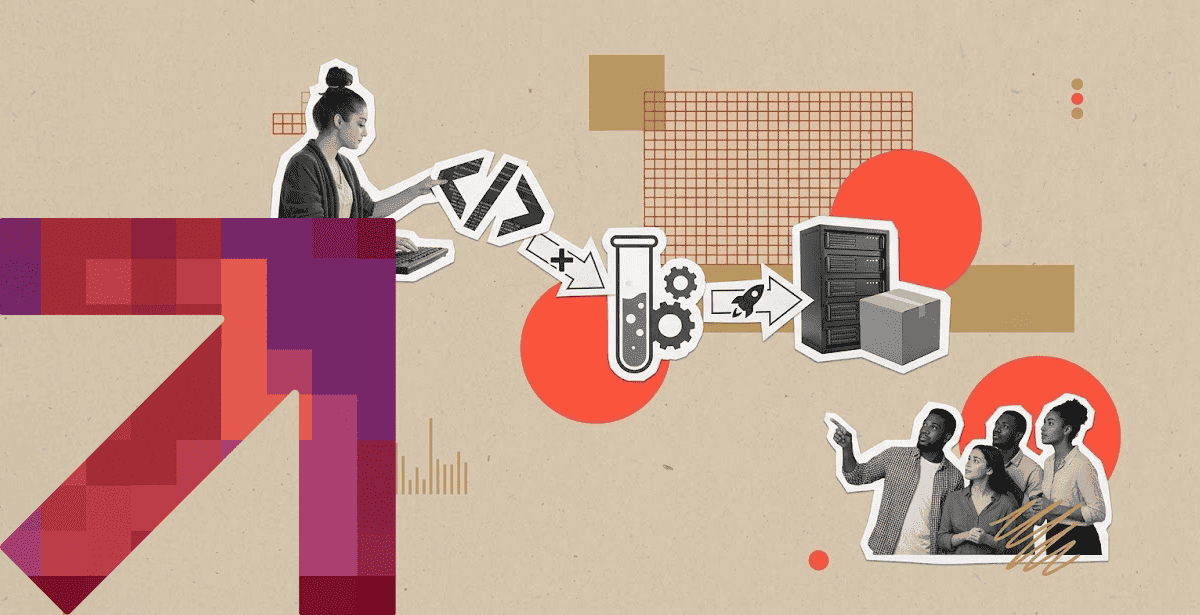
CI/CD stands for continuous integration and continuous delivery, or sometimes continuous deployment. It’s the practice of automatically building, testing, and releasing code every time a developer makes a change.
Continuous integration means merging code changes into a shared branch frequently, often several times a day. Each merge triggers an automated build and test run, catching problems early.
Continuous delivery takes that a step further. Every change that passes its tests is automatically packaged and ready to release. A human still approves the final push.
Continuous deployment removes even that last step. Code that passes every automated check ships straight to production without anyone clicking a button.
The difference between those last two terms trips up a lot of teams new to this space. Delivery keeps a human in the loop; deployment doesn’t.
Before CI/CD became standard, teams merged code in large, infrequent batches. Integration problems piled up silently until release day, when everything broke at once.
Continuous Integration Tools: Where the Pipeline Begins
Continuous integration tools are what actually run the build and test steps every time code changes. Jenkins was the long-standing default for years, prized for its flexibility and huge plugin ecosystem.
GitLab CI/CD and GitHub Actions have gained enormous ground since. They live directly inside the same platform where code already lives. That proximity removes a whole category of integration friction.
💡 Choosing a CI/CD platform should come down to how your team already builds, tests, and deploys software. GitLab CI/CD vs. AWS CodePipeline involves tradeoffs around platform integration, cloud ecosystem, configuration, scalability, and operational overhead. Evaluate those factors alongside your existing source-control and AWS setup rather than choosing a tool based on features alone.
Test speed matters enormously at this layer, more than most teams realize until it becomes a bottleneck. A ten-minute test suite run fifty times a day adds up to real, wasted engineering time.
Flaky tests are the silent killer of continuous integration adoption in practice. A test suite that fails randomly trains developers to ignore failures, defeating the entire point of automation.
Parallelizing test runs is one of the more reliable fixes for that speed problem. Splitting a suite across multiple runners can cut wall-clock time dramatically without touching a single test.
A Comparison of Major CI/CD Tools
CI/CD tools generally fall into two camps. Platform-native options tie to a specific cloud, while independent tools work anywhere. Each has real tradeoffs worth understanding upfront.
AWS CodePipeline and Azure DevOps integrate tightly with their respective clouds, which simplifies permissions and networking considerably. That convenience comes with a real cost in portability if you ever need to switch.
Jenkins and GitLab CI/CD trade some of that native convenience for flexibility across environments. They work identically whether you’re deploying to AWS, on-premises hardware, or an air-gapped network.
Cost structure differs meaningfully between managed and self-hosted options too. A managed platform charges by usage; a self-hosted runner shifts that cost to infrastructure you already maintain.
💡 Start with what your team can realistically operate and maintain. CI/CD tools should match your team’s skills, deployment frequency, infrastructure, and operational maturity, rather than simply offering the most advanced feature set. Less mature teams may benefit from managed platforms, while experienced teams with complex requirements may prefer self-hosted or highly configurable options.
Case Study: Cutting Pipeline Time from Hours to Under 10 Minutes
The Pakistan Air Force (PAF) needed a fully air-gapped Kubernetes platform for a classified data center with zero external internet connectivity. Manual deployments previously took hours and happened monthly at best.
Air-gapped environments rule out most managed CI/CD platforms immediately, since those depend on constant connectivity to an external vendor. Everything here had to run entirely on infrastructure the client controlled.
DPL built the platform using RKE2 and Rancher, backed by on-premises GitLab CI/CD. Istio service mesh and HashiCorp Vault handled traffic and secrets management. More than 100 containerized microservices replaced what had been a monolithic application.
The results reflect what a properly automated pipeline makes possible even without internet access. Pipeline execution time dropped to under 10 minutes, down from hours under the old manual process.
Deployment frequency moved from monthly to multiple times a day. Mean time to recovery from a failed deployment landed under five minutes through automated rollback and self-healing.
You can ready the full PAF case study for more details.
DevOps Pipeline: How the Stages Fit Together
Revisiting what is CI/CD at the pipeline level makes the whole picture click. A DevOps pipeline strings together every stage from code commit to production release into one automated sequence.
Each stage acts as a gate the code has to pass before moving forward.
The typical sequence runs build, test, security scan, staging deployment, and production release, roughly in that order. Skipping a stage to save time almost always costs more time later.
Security scanning deserves a dedicated stage of its own, not a bolt-on step at the very end. Catching a vulnerability before merge is far cheaper than catching it after a customer reports it.
Staging environments exist to catch the problems a local development machine simply can’t surface. Configuration drift between environments is one of the most common causes of a failed release.
💡 Speed comes from removing manual handoffs, not skipping quality gates. Continuous integration and continuous deployment can automate builds, testing, security checks, and releases so validated code moves through the pipeline with minimal human intervention. When these stages are reliable and repeatable, teams can reduce deployment time dramatically while maintaining the controls that protect production.
Observability belongs in this same pipeline conversation, not as an afterthought bolted on post-launch. A deployment nobody can monitor is a deployment nobody can trust once it reaches real users.
Common CICD Pipeline Mistakes Teams Make Early
A CI/CD pipeline can accelerate delivery, but only when it is designed with the right foundations. Early-stage teams often make a few mistakes that create risk instead of reducing it –
- Insufficient Test Coverage – Automation only catches what your tests are designed to detect. Without adequate coverage, a fast pipeline can create false confidence and push defects further downstream.
- No Rollback Strategy – Fast deployment means little if teams cannot recover just as quickly. Every pipeline should have a clear, tested rollback process for failed releases.
- Treating Pipeline Configuration as an Afterthought – Pipeline definitions are code. They deserve the same version control, code reviews, and maintenance practices as application logic.
- Overengineering Too Early – A five-person startup rarely needs the same pipeline architecture as a thousand-engineer enterprise. Build for current needs while leaving room to scale rather than adding complexity before it is necessary.
- Copying Someone Else’s Pipeline – A setup that works for another company may not fit your team’s size, architecture, deployment frequency, or risk profile. Our DevOps services & solutions practice helps teams right-size their approach.
- Failing to Plan for Growth – A pipeline that works well for a small team may need significant rework as headcount and deployment volume increase. Designing with future growth in mind can prevent a painful rebuild.
- Underinvesting in Documentation – A pipeline understood by only one engineer creates a single point of failure. Clear documentation ensures the team can maintain, troubleshoot, and improve the pipeline even when ownership changes.
These mistakes matter because having a pipeline and having a mature pipeline are two very different things.
DORA’s 2024 State of DevOps research found that elite performers deploy roughly 182 times more frequently than low performers, while lead time for changes was more than 100 times faster. The difference isn’t simply about team size or individual talent. Automation, smaller batch sizes, and the ability to detect problems early all play a role.
Now that We’ve Answered “What is CI/CD?”…
Now, let’s put it into practice.
From pipeline design to automation and deployment, DPL helps you build CI/CD workflows that make software delivery faster, more reliable, and easier to scale.
Contact our cloud & DevOps services teams via the form below. With our expertise and your vision, we can create innovative solutions that put your brand on the map.