
Cloud Migration Solutions – How to Match Your Strategy to the Right Workload

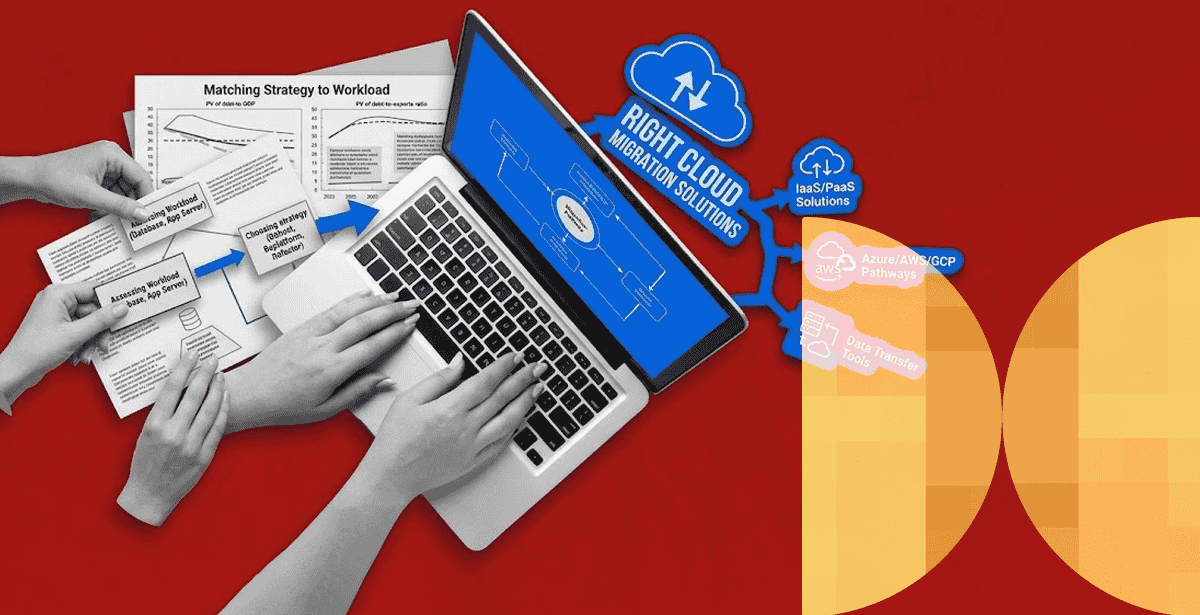
Most failed migrations share the same root cause. Someone picked one cloud migration solutions approach and applied it to every workload, regardless of fit.
A legacy monolith, a regulated dataset, and a new customer-facing app do not belong on the same migration path. Treating them the same is how timelines slip and budgets blow past estimates.
Dependency mapping remains the top migration challenge cited by enterprises. That’s according to Flexera’s 2026 State of the Cloud Report. Wasted cloud spend also ticked back up to 29% for infrastructure services after years of decline.
Both numbers point to the same problem. Strategy gets chosen too fast, before anyone truly understands the workload.
Why One Cloud Migration Strategy Never Fits Every Workload
AWS’s own migration guidance lays out seven distinct strategies. Rehost lifts an application as-is. Replatform makes light optimizations during the move. Refactor rebuilds for cloud-native performance.
Retain, relocate, repurchase, and retire round out the list. Retain means leaving a workload exactly where it is, often for compliance reasons. Repurchase means replacing it outright with a SaaS product.
Each strategy trades speed against long-term value. Rehosting is fast but rarely unlocks cloud-native cost savings. Refactoring unlocks the most value, but it costs the most time and carries the most risk upfront.
The workload should decide which tradeoff makes sense. A blanket policy should not. That is the core idea behind effective cloud migration solutions.
Cloud Migration Consulting: Matching Strategy to Workload
Cloud migration consulting exists to make that workload-by-workload call before a single server moves. Good consulting starts with dependency mapping, not a moving date.
DPL’s cloud migration consulting approach spends the first 30 days entirely on assessment. That means cataloging applications, mapping data dependencies, and flagging compliance constraints that limit where a workload can legally run.
Rehost, Replatform, or Retain — Reading the Workload First
Three DPL projects show how differently this plays out in practice. For a defense organization, DPL built a fully air-gapped Kubernetes platform with zero external connectivity.
That workload demanded retain-and-modernize on-premises, not a public cloud move. Classified data requirements made the decision for them.
For National Janitorial Solutions, the right call was different. DPL replatformed a legacy system into a cloud ERP on Amazon ECS and Aurora MySQL. The project reached SOC 2 Type II compliance while processing 500,000-plus work orders a year.
That workload had no regulatory reason to stay on-premises. Replatforming captured managed-service savings fast, without the cost of a full rebuild.
Neither approach is universally correct. Each fit the constraints of its own workload, not a template borrowed from a different project.
Cloud Migration Tools and Software Worth Trusting
Cloud migration tools only earn their keep if they solve the assessment problem first. A tool that automates a lift-and-shift without mapping dependencies just moves the same fragility to a new address.
Cloud Migration Software for Dependency Mapping
The most useful cloud migration software maps application dependencies. It also models cost before and after the move, and automates the cutover itself.
DPL pairs Terraform and AWS CloudFormation for infrastructure-as-code. Those tools work alongside GitLab CI/CD or AWS CodePipeline for automated, repeatable cutovers.
That combination matters most in regulated environments. There, a manual migration step is also an audit finding waiting to happen.
Choosing a Cloud Migration Service Provider
Picking a cloud migration service provider is where most of the real risk transfers, or doesn’t. A provider that only knows how to rehost will rehost everything. That happens whether or not it is the right call for your workload.
Ask for the architecture decisions a provider made on past projects, and the tradeoffs behind them. Do not ask for a slide of client logos.
A provider who can explain why they chose replatform over refactor for a specific past client is worth more than one with a longer client list. References that hold up under scrutiny matter more than certifications on a homepage.
DPL’s case for true cloud modernization argues the same point. Lifting and shifting without a modernization plan just relocates technical debt to a more expensive zip code.
💡Evaluate decisions, not credentials. When comparing cloud consulting companies, ask providers to explain the architecture choices and tradeoffs behind previous migrations—not just showcase client logos or certifications. A strong partner should be able to tell you why they rehosted, replatformed, refactored, or rebuilt a workload and what business outcome that decision delivered.
What Changes at Enterprise Cloud Migration Scale
Enterprise cloud migration introduces constraints that smaller projects skip past entirely. Hybrid estates are now the norm, not the exception. Flexera reports 73% of organizations run hybrid cloud, up three points year over year.
Legacy systems are usually why. Some workloads simply cannot fully leave on-premises infrastructure, whether for latency, licensing, or compliance reasons.
At enterprise scale, sequencing matters as much as strategy. DPL’s work on cloud cost optimization shows a 68% infrastructure cost reduction for one client. That reduction was possible because serverless refactoring was sequenced after simpler workloads had already moved.
Moving the hardest, highest-risk workload first, before your team has practiced the process on something smaller, is how enterprise migrations stall for months. Sequence the easy wins first and use them to validate the operating model.
Frequently Asked Questions
What are cloud migration solutions, exactly?
Cloud migration solutions are the combined strategy, tools, and provider relationship used to move a workload to the cloud. The term covers everything from a simple lift-and-shift to a full application rebuild.
How long should cloud migration consulting take before the actual move?
A thorough assessment typically runs 30 days for a mid-sized workload. Skipping this step is the single biggest predictor of budget overruns later in the project.
Is enterprise cloud migration different from a standard migration?
Mainly in scale and sequencing. Enterprise projects usually involve hybrid infrastructure and stricter compliance requirements. They also need lower-risk workloads moved first to validate the process before tackling harder ones.
Do I need different cloud migration tools for different workloads?
Often, yes. Dependency-mapping and cost-modeling tools matter most during assessment. Automated cutover and infrastructure-as-code tools matter most during the actual move, and the right mix depends on how many workloads you are moving at once.
Start With the Workload, Not the Migration Method
The right cloud migration solutions come from matching strategy to workload. They do not come from picking one method and forcing every application through it.
Some workloads are ready to refactor today. Others need to stay exactly where they are for good reason. Knowing the difference before you start is what keeps a migration on budget.
If you’re mapping out a migration and want a second opinion on the strategy per workload, DPL’s cloud consulting services team can walk through the assessment before you commit to a timeline.

Topics
Related Articles
-

Disaster Recovery Companies – What to Evaluate Beyond SLA Guarantees
04-Nov-2026 Maha Yaser
-

Hiring App Modernization Services to Effectively Break Monoliths into Microservices
23-Sep-2026 Hazar Hayat
-
How Kubernetes Orchestration Works at Scale — and Why It Matters for Container Management
22-Sep-2026 Hazar Hayat